
Griffin Alpha-S: Robot Actions, Checkpoints and License
Griffin Alpha-S is Griffin Labs’ open-weight vision-language-action model for robots. It combines a Qwen3-VL-4B backbone with a 910M-parameter action expert and predicts sequences of robot actions from observations and a task. The release includes a pre-trained base and separate LIBERO and RoboTwin fine-tunes. Start with the checkpoint that matches your robot or simulation, then its data and control setup.
Content reviewed:
Use this model
Official model repository
- Get Griffin Alpha-S checkpoints
Model card, downloads and license conditions.
What does Griffin Alpha-S do?
- Predict manipulation actions from camera views, robot state and a natural-language task.
- Run the published LIBERO policy in simulation to study spatial, object, goal and long-horizon tasks.
- Evaluate bimanual manipulation with the RoboTwin checkpoint under clean and randomized scenes.
- Fine-tune the base with demonstrations from a robot and camera arrangement you control.
How Griffin Alpha-S turns observations into actions
A vision-language-action model connects a task description and observations to a robot control policy. Griffin Alpha-S uses its visual-language backbone with a flow-matching action expert to predict a 50-step action chunk. The controller executes part of that chunk before taking fresh observations and asking for the next prediction.
The action representation depends on the checkpoint. LIBERO uses seven-dimensional end-effector control deltas. The RoboTwin policy uses 14-dimensional bimanual joint actions. A task such as clearing a table therefore needs the camera inputs, state representation and controller expected by that policy.
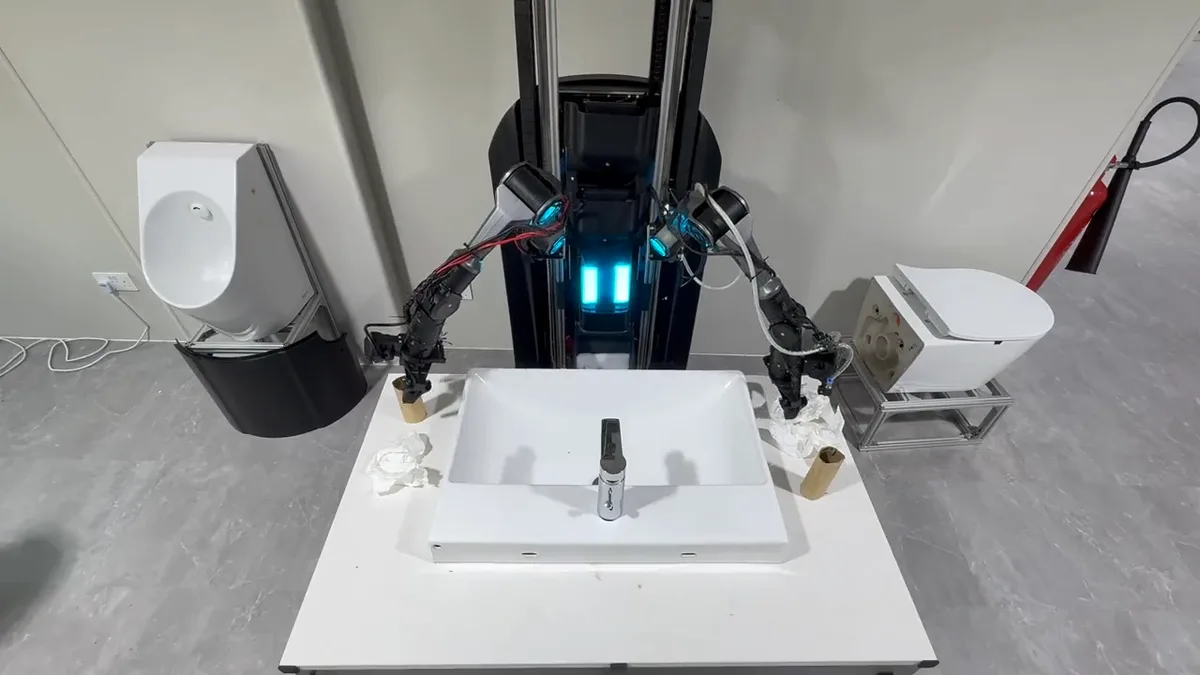
From rigid objects to folding clothes
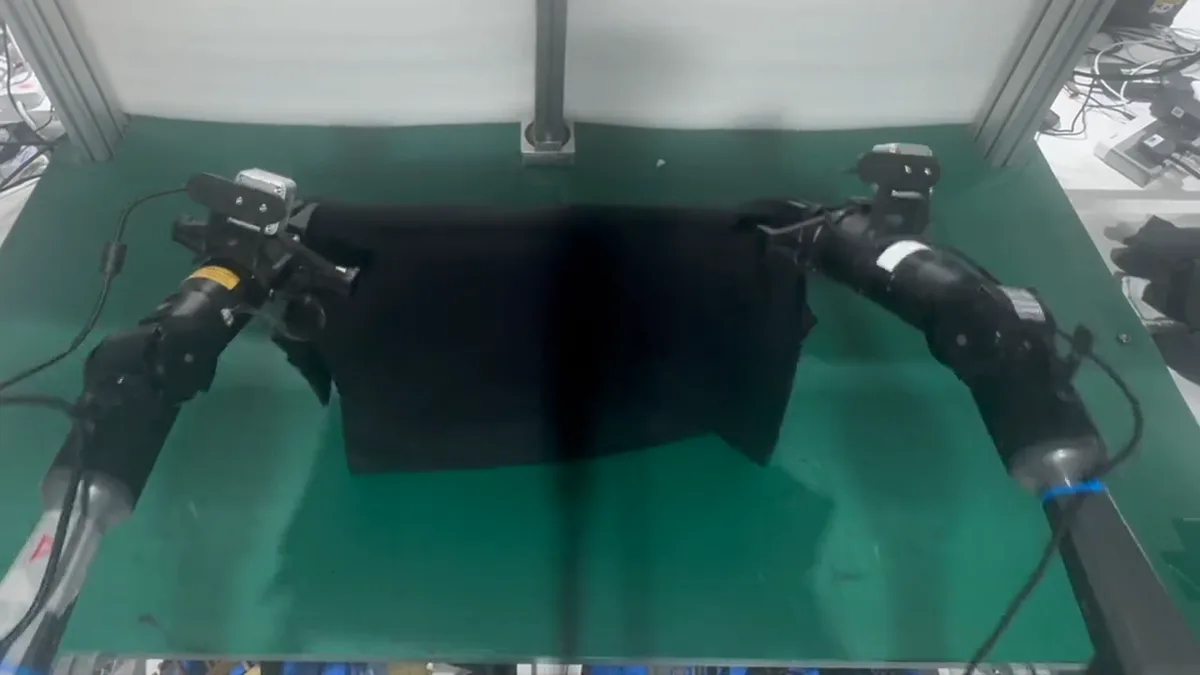
Griffin Labs’ CleanBench demonstrations include sink-countertop cleanup, clothes folding and clearing a dining table. The folding video shows two arms manipulating a shirt: unlike a rigid object, cloth changes shape as the policy grasps and moves it. Watch the full official clips for the sequence of actions.
Choose a Griffin Alpha-S checkpoint
The pre-trained base is a starting point for fine-tuning on your own robot. Its camera list and normalization statistics are prepared from your dataset. The simulation fine-tunes include a specific embodiment, camera arrangement and control format, making them better starting points for reproducing those evaluations.
Changing robots or cameras requires rebuilding the input and output processors. Griffin’s fine-tuning guide includes make_finetune_base.py for this step. Collect demonstrations with the intended action names and control mode, then check that the processor uses the same camera order and state features.
| Checkpoint | Intended starting point | Observation and action setup |
|---|---|---|
| Griffin-Alpha-S | Fine-tuning on your robot | Dataset-specific cameras and normalization; 50-step action chunks |
| Griffin-Alpha-S-LIBERO | LIBERO simulated Franka Panda | Agent and wrist views at 256×256; 8-D state; 7-D actions |
| griffin-alpha-s-robotwin | RoboTwin Aloha AgileX bimanual tasks | Three views at 480×640; 14-D state and actions |
Use Griffin Alpha-S through LeRobot
Install Griffin’s LeRobot plugin to register its policy types. The repository contains simulation evaluation scripts and fine-tuning instructions. Begin with the LIBERO checkpoint and the matching example environment to follow a complete published setup; use the base checkpoint when adapting the policy to your own demonstrations.
The commands below install the plugin and show how to load the LIBERO weights in Python. Running an episode also needs the simulation environment and its processors. Follow the repository’s LIBERO evaluation instructions for that complete loop.
pip install git+https://github.com/griffinlabs-ai/alpha-s.git

# In Python:
import lerobot_policy_griffin_alpha
from lerobot_policy_griffin_alpha import GriffinAlphaPolicy

policy = GriffinAlphaPolicy.from_pretrained(
    "griffinlabs/Griffin-Alpha-S-LIBERO"
)Griffin Alpha-S LIBERO results and inference settings
Griffin’s LIBERO model card reports 400 closed-loop episodes per configuration: four suites, ten tasks per suite and ten episodes per task, using one seed. The default flow-head configuration averages 96.8% across the four suites and reaches 94% on the long-horizon suite.
Changing the number of Euler steps changes the result. The checkpoint default uses one step, while the base model uses ten. The card’s ten-step LIBERO run averages 96.0%, so additional integration steps did not improve that aggregate. Keep the checkpoint, observation format and replanning interval with the result when reproducing it.
| LIBERO suite | Flow: 1 Euler step | Flow: 10 Euler steps |
|---|---|---|
| Spatial | 98.0% | 92.0% |
| Object | 100.0% | 100.0% |
| Goal | 95.0% | 97.0% |
| Long-horizon | 94.0% | 95.0% |
| Four-suite average | 96.8% | 96.0% |
Griffin Alpha-S RoboTwin results: tasks vary widely
The RoboTwin checkpoint was fine-tuned on clean demonstrations only. Griffin reports 59.8% success on clean scenes and 46.2% on randomized scenes, with 50 tasks and 100 episodes per task in each setting. The evaluation used one seed and executed 25 of each 50 predicted steps before replanning.
The per-task table is more useful for choosing an experiment than the overall average. In clean scenes, adjusting a bottle and clicking a bell reach 100%, while opening a microwave reaches 2% and handing over a block reaches 7%. Precise placement and coordinated handoffs deserve their own trials. Models trained on randomized demonstrations use a different training setup from this clean-only checkpoint.
These are Griffin’s own evaluations of the released checkpoints. For an initial experiment, reproduce one published simulation task and record failures before adapting the policy to physical hardware.
Griffin Alpha-S license and project costs
The downloadable weights use CC BY-NC-SA 4.0: attribution, noncommercial use and share-alike conditions apply. The LeRobot plugin code uses Apache-2.0. Choose a project that fits the weight license, and keep the code and weight terms distinct when distributing an adaptation.
A robot-policy budget includes demonstration collection, fine-tuning, inference hardware and robot operation. Start by measuring memory use and action latency for the selected checkpoint, camera resolution and replanning interval. A language-model token estimate cannot tell you how often a robot controller can receive a fresh action chunk.
Before you use it
- The pre-trained base needs robot-specific demonstrations and processors; use the simulation fine-tunes with their documented environments.
- The weight license restricts commercial use. Apache-2.0 licensing of the plugin does not change the weight terms.
How to get started
Choose the LIBERO or RoboTwin checkpoint for a simulation experiment. For your own robot, follow the base-model fine-tuning guide and rebuild the processors around its cameras, state and action format.
Sources
Sources (5)
- Griffin Labs: Alpha-S release and robotics evaluation ↗
Source checked:
- Griffin Alpha-S base: architecture, intended use and license ↗
Source checked:
- Griffin Alpha-S LIBERO: checkpoint and results ↗
Source checked:
- Griffin Alpha-S RoboTwin: task results and evaluation conditions ↗
Source checked:
- Griffin LeRobot plugin and fine-tuning guide ↗
Source checked: